Scan Credits
Reading tiles from a photo, and scoring a Co-Pilot hand without one, are the only things that use credits. Typing tiles in, every recommendation, the Manual Calculator and the whole Score Sheet are free.
What uses a credit
| Action | Credits |
|---|---|
| A rack photo — Take Rack Photo in Rack Analyst, or Scan Start Rack in Live Co-Pilot | 1 |
| A discard-pile photo in Board Evaluator | 1 |
| A winning-hand photo in Table Scorer — scoring that hand, and re-scoring it after a correction, is included | 1 |
| Score this hand from the Live Co-Pilot — charged when you tap Calculate Final Score; re-scoring that hand is included | 1 |
| Each player's photo on the Custom Hands Score Sheet | 1 each |
What's always free
Entering and correcting tiles
The Tile Drawer Keyboard, and tapping a scanned tile to fix it, never cost anything.
Advice and analysis
Analyze Hand, Board Evaluator, every Live Co-Pilot suggestion and the Charleston helper.
Scoring by hand
The Manual Calculator and the Score Sheet.
When a credit comes back
You retake a photo straight away
If a photo comes out wrong — a misread, a worn tile, glare — just take it again before you tap Analyze Hand or Calculate Final Score. The first photo's credit is given back automatically, as long as it's within 10 minutes. Once you've used a photo's result, its credit is spent.
The app couldn't read the photo
If the scan fails, or finds no tiles, the credit is returned straight away.
The hand couldn't be scored
If Table Scorer can't produce a score — too few tiles, or no legal hand — the credit for that score is returned.
Getting more credits
Welcome scans
Every new player gets 3 free scans the first time they open the app, to try the camera on their own tiles. They're given once per phone.
Watch an ad
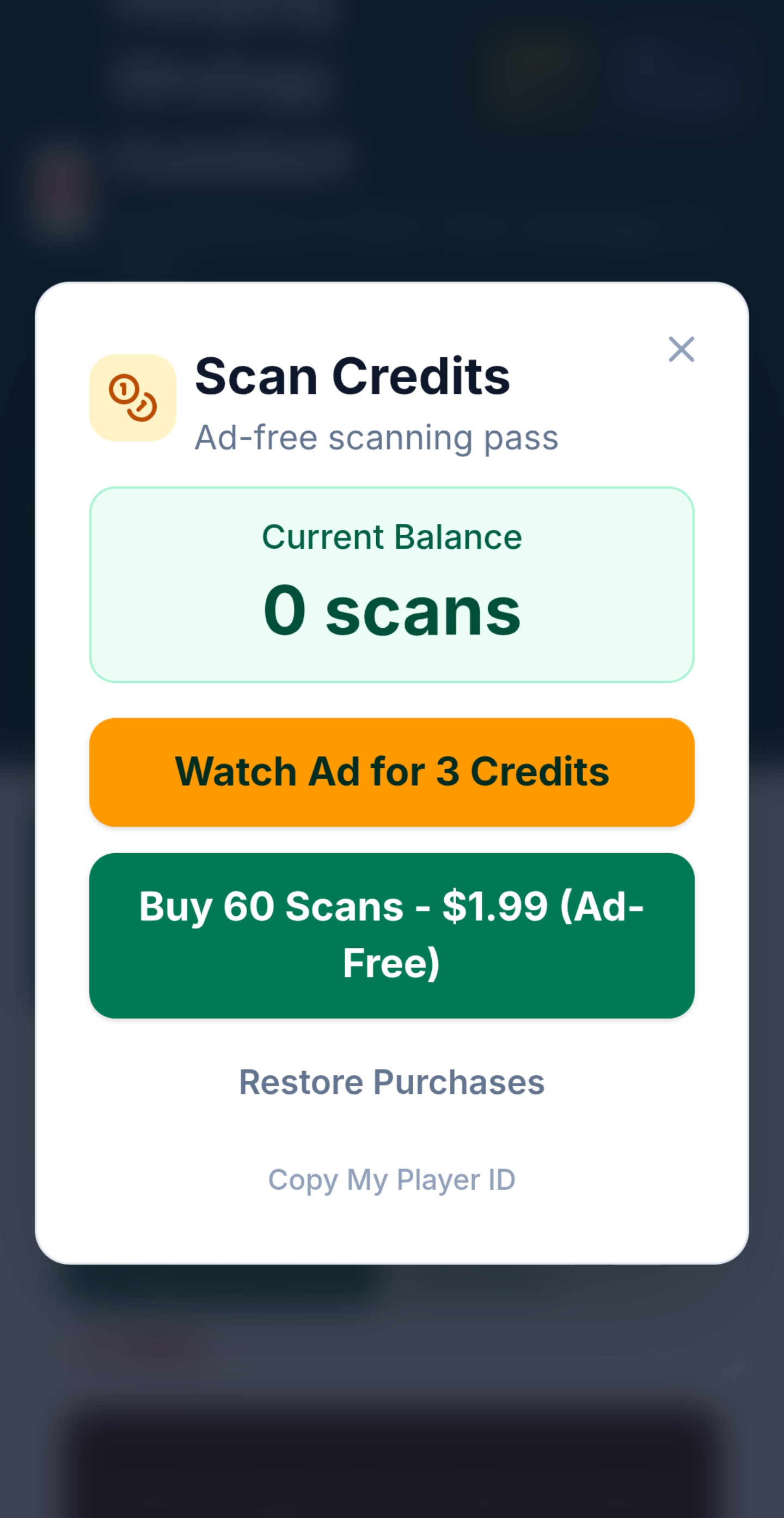
Tap Watch Ad for 2 Scans to earn 2 scans by watching a short video ad. You can bank up to 6 scans from ads before you play, so you aren't stopped mid-game. Once you hold 5 or more, the ad isn't offered until you've used some.
Buy a scan pack
Tap Buy 60 Scans for a one-time purchase of 60 ad-free scans, or Club Pack: 200 Scans for the best value when a whole club or group shares one balance. Both are charged in your local currency. Bought scans have no limit and never expire.
First pack bonus
Your first pack, either size, comes with 10 bonus scans on top.
Invite a friend
Give a friend your invite code. Once they've installed the app, entered your code and made their first scan, you get 5 free scans. More below.
Share your scans
Devices can share one scan balance, whether that's your own phone and tablet or friends at your table. Scans bought or earned on any of them go into the shared balance, and every scan comes out of it. Up to 8 devices can share, on Android and iPhone alike.
On the device with the scans
Open Scan Credits, tap Share your scans with another device, then Show a share code. You'll see a code like K7P4-QX2M. It works once and expires after 10 minutes.
On the other device
Open the same screen, type the code under Use scans from another device and tap Join. Any scans already on that device are added to the shared balance, so nothing is lost. Only the device that shared its scans can show a code, so nobody can pass your scans on without you.
Removing a device
The device that shared its scans sees every device it's sharing with and can Remove any of them. A shared device can also tap Stop sharing on this device. Either way, that device takes back the scans it brought with it when it joined, as far as they haven't been used. Scans bought or earned while sharing stay with the group. Stop sharing with everyone ends the whole group at once.
Names and scans used
Each device can give itself a name, like Jo's iPad, so the sharing device can see who's who. The list also shows how many scans each device has used while sharing.
Changing phones
Before you change phones, tap Hand over next to another device in the group so it looks after the shared scans. If a phone is lost before you can do that, email support@mahjongai.app and we can hand the group to another device in it.
Buy a 60 Scan Pack or a Club Pack once and share it with the other players at your table. Ad scans go into the same balance too, but the shared balance can bank up to 6 scans from ads in total, not 6 per device.
Save my scans
Your scans are kept with this copy of the app. A backup code lets you take them with you if you change phones, reset your phone or reinstall the app.
Get your backup code
Open Scan Credits, tap Save my scans, then Show my backup code. You'll see a code like K7P4-QX2M-8TRW. Write it down or take a screenshot, and keep it to yourself: anyone with the code can move your scans.
On your new phone
Open the same screen, type the code under Get my scans back and tap Move my scans here. The scans move across and are added to any already on that phone. The old device is left with none, and the backup code now belongs to the new phone.
If you were sharing scans
The new phone takes the old one's place in the group, so it keeps sharing with the same devices as before.
A new code
If you think someone else has seen your code, tap New code on the same screen. The old code stops working straight away.
Invite a friend
Every device has its own invite code. Open Scan Credits and tap Invite a friend to see yours. Copy code copies just the code, and Send invite copies a ready-made message to paste into a text or email.
Your friend joins
Your friend installs the app, opens Invite a friend and enters your code under Got a code from a friend?, then taps Use my friend's code. New players can enter one code, within their first week.
You get 5 free scans
Your scans arrive as soon as your friend makes their first scan, for up to 10 friends a month. Your friend gets the usual 3 welcome scans.
Other options in this panel
Restore Purchases
If you paid for a scan pack but the scans didn't arrive, tap this to check the purchase with Google Play or the App Store. Scans already added are never added twice. To bring your scans back after reinstalling the app, use your backup code (see Save my scans).
Copy My Player ID
Copies a unique ID tied to your scan balance — useful to have on hand if you ever need support with a purchase.