
Before your first scan
A few choices at the top of the screen shape every recommendation and every score the app gives you. Set these first, then get familiar with the five tabs — everything else builds on them.
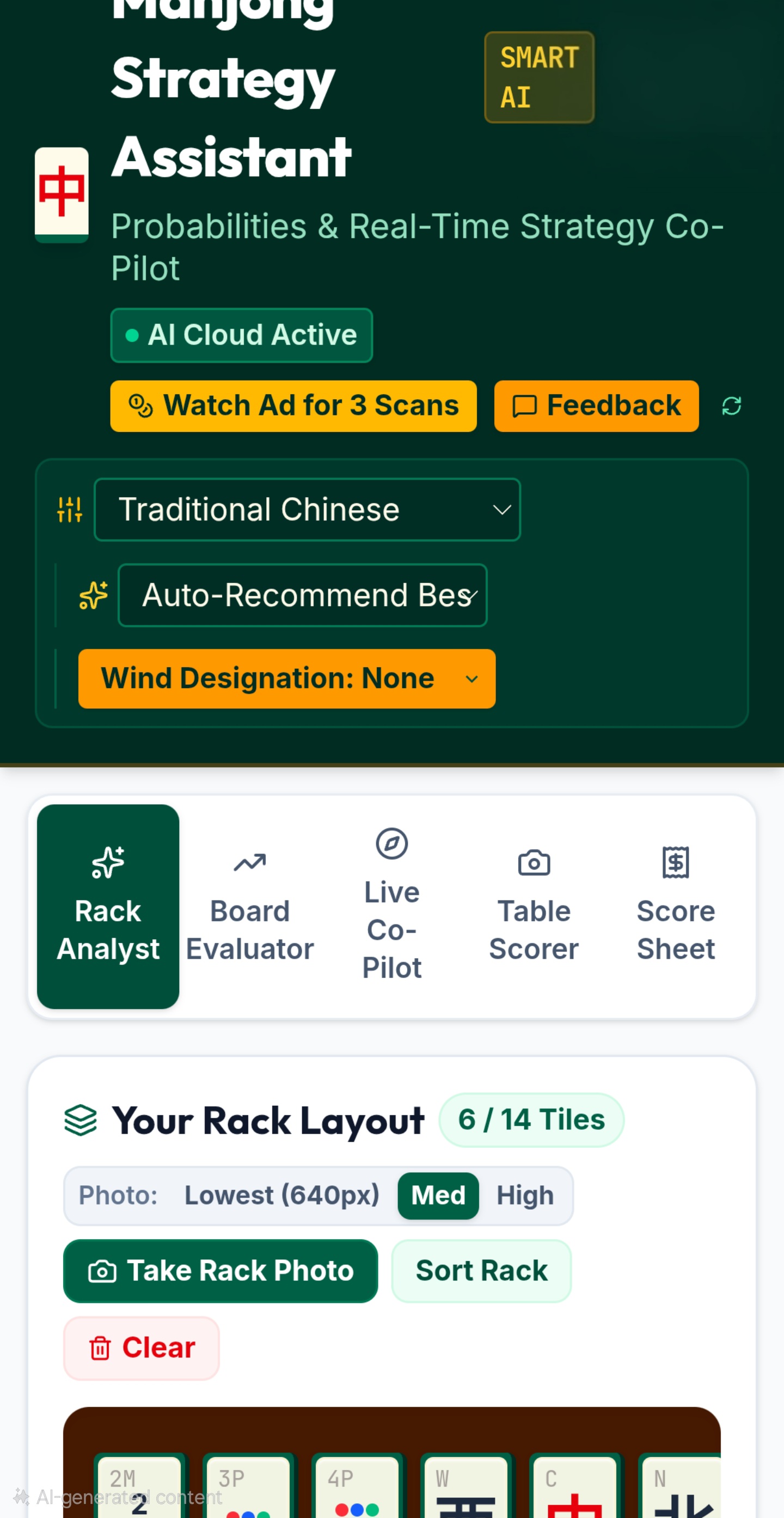
1. Pick your rule set
The first dropdown in the top bar sets which rules the app uses for every recommendation and every score. Choose the one your table actually plays:
| In the dropdown | What it is |
|---|---|
| Traditional Chinese (MCR) | Chinese Official / Mahjong Competition Rules — the 81-fan tournament rules. MCR guide |
| Riichi (Japanese) | Japanese Riichi under the World Riichi Championship 2022 rules. Riichi guide |
| NMJL 2026 Card | American Mah Jongg, matched against the official 2026 card. NMJL guide |
| Taiwanese Rules | 16-tile Taiwanese Mahjong with Tai scoring. Taiwanese guide |
| Singapore Rules | Singapore Mahjong with Animal tiles, Fan, and payouts during play. Singapore guide |
| Hong Kong (Cantonese) | Hong Kong Mahjong in faan, with three rule books: Modern Hong Kong, HKMA Tournament and the Old Rules. Hong Kong guide |
| Vietnamese Rules | Vietnamese Mahjong with its Joker set, phán and mủn. Vietnamese guide |
| Custom Mahjong Hands | A catalogue of 177 named hands, scored with your group's own sheet. Custom Hands guide |
Your choice is remembered the next time you open the app. You can switch at any time — the current recommendation and any score in progress recalculate straight away. Compare all eight.
2. Auto-Recommend Best, or target a specific hand
By default the app looks at your rack and works out the strongest hand to chase on its own — that's Auto-Recommend Best. If you'd rather steer toward one specific hand, open the second dropdown and pick it; every keep/discard decision is then judged against that one target. The list changes with the rule set — named hands for Custom Hands, card lines for NMJL 2026, yaku for Riichi, the 81 fan for MCR, and so on. Vietnamese doesn't have this dropdown; it always recommends the best hand.
A target hand you choose only applies to the rack you're working on. The next time you start a fresh rack, it resets to Auto-Recommend Best — so you're never accidentally locked into an old target from a previous hand.
3. Seat Wind & Round Wind
Two dropdowns in the top bar — Wind Designation (your seat wind) and Round Wind — feed directly into Rack Analyst, Board Evaluator and Live Co-Pilot. A wind tile matching your seat, the round, or both is worth more, so the app weighs it when deciding whether to keep it.
| Rule set | Wind dropdowns |
|---|---|
| Traditional Chinese (MCR) | Seat and Round — seat-wind and prevalent-wind Pungs each score fan. |
| Riichi | Seat and Round — each is a yakuhai, and they stack. Why it matters |
| Singapore | Seat and Round — your seat sets your Flower Number and seat-wind Pong; the round sets the prevailing-wind Pong. |
| Hong Kong (Cantonese) | Seat and Round — your seat sets your own Flower and Season and your seat-wind Pung; the round sets the round-wind Pung. |
| Vietnamese | Seat and Round. |
| Custom Mahjong Hands | Seat only, and only when it matters — a few named hands need your own wind. Round Wind doesn't apply. |
| NMJL 2026 Card, Taiwanese | Hidden — not used by the strategy tools. (Taiwanese wind bonuses are set in the Manual Calculator.) |
In Riichi, Singapore, Vietnamese and Custom Hands, Rack Analyst, Board Evaluator and Live Co-Pilot show an amber Seat Wind not set badge until you set it. Advice without it is missing real information, not just less precise. Once it's set, the badge shows your seat and the round instead.
When you track a whole game in Score Sheet, Round Wind moves on automatically as the deal goes round the table. The dropdown still works as a manual override at any time.
4. The five tabs
Everything else lives under one of five tabs, each suited to a different moment in a game:
Rack Analyst
Scan or enter your rack any time for a fresh read — what to keep, what to discard, and your best path to a win.
Board Evaluator
The same analysis, also counting what's already been discarded or exposed at the table.
Live Co-Pilot
Stays open for a whole hand, with a fresh suggestion after every draw.
Table Scorer
Score a winning hand — from a photo, or by hand with the Manual Calculator.
Score Sheet
Track a whole session: who pays whom, the dealer, the rounds and the final result.
Every tool that takes a photo also has the Tile Drawer Keyboard: tap tiles to enter them by hand. Photos use a scan credit; typing tiles in never does. Older, worn or unusually styled tiles can be misread by the camera, so always check a scan — tips for worn tiles.