
Board Evaluator
The same strategic engine as Rack Analyst, but with one important difference: it also knows what's already been thrown away. That changes which tiles are actually still worth waiting for.
How to use it
Add your rack
Make sure Player Rack is selected under "Clicking adds to," then scan or manually add your own tiles as normal.
Add the sets you've already called
If you've exposed sets, add them under Your Exposed Pungs, Your Exposed Kongs and — in MCR, Riichi, Singapore, Taiwanese and Vietnamese — Your Exposed Chows (tap a Chow's lowest tile). Don't add those tiles to your rack as well. The app then plans around the sets you've already made.
Switch to Board Discards
Tap Board Discards to change what the Tile Drawer Keyboard adds to — anything you tap now goes into the shared discard pile, not your own rack.
Scan the discard area, or add tiles by hand
Use Discard Area Scan to photograph the whole pile at once — it reads tiles at any angle or orientation, even scattered. Or add tiles individually with the Manual Add buttons if you'd rather not use a photo.
Review what was identified
Check the list under "Identified in Discard Area" against the table. Remove anything misread with Clear All and re-scan if needed.
Analyze Hand as usual
The recommendation now factors in which tiles are already out of play — a hand that needs four copies of a tile you've seen discarded gets ranked lower automatically.
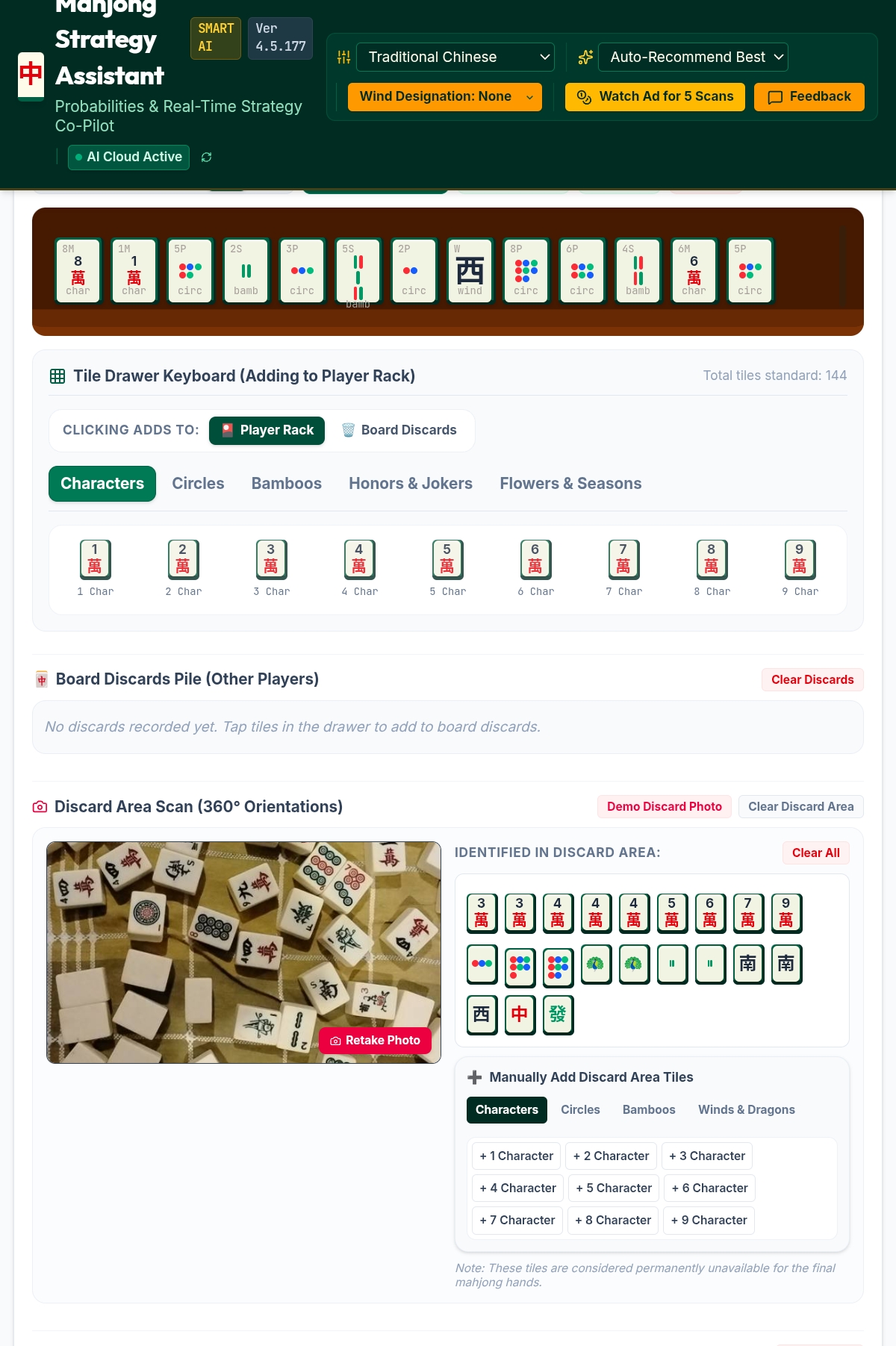
Tiles marked in the discard area are treated as permanently unavailable for the rest of the hand. The fewer copies of a tile left in play, the less the app will steer you toward a hand that depends on drawing it.
In Riichi, Singapore, Vietnamese and Custom Hands, a small Seat: … / Round: … badge appears near the top of this panel, confirming exactly what context is feeding the recommendation below. See Getting Started for which rule sets use the winds.
How it changes by rule set
| Rule set | What's different in Board Evaluator |
|---|---|
| NMJL 2026 | Two extra panels: Your Exposures and Opponents' Exposures. Choose the group size (Pung, Kong, Quint or Sextet) and how many Jokers it holds, then tap its tile. Opponents' exposures are counted as tiles no longer available to you. |
| Riichi | The same optional Dora and Furiten panel as Rack Analyst. Your own discards also matter for furiten. |
| Taiwanese | A 17-tile rack, as in Rack Analyst. |
| Singapore | Animals have their own tab; there's only one of each, so a discarded Animal is gone for good. |
| Vietnamese | Jokers and the Big Flower on the Honors & Jokers tab, plus the Classic / Modern switch. |
| MCR | An extra Opponents' Exposed Melds panel: add the sets other players have called, and their tiles are counted as gone. |
| Custom Hands | Works as described above (your own exposed Pungs and Kongs; no Chow panel). |