Mahjong Co-Pilot · Every Ruleset
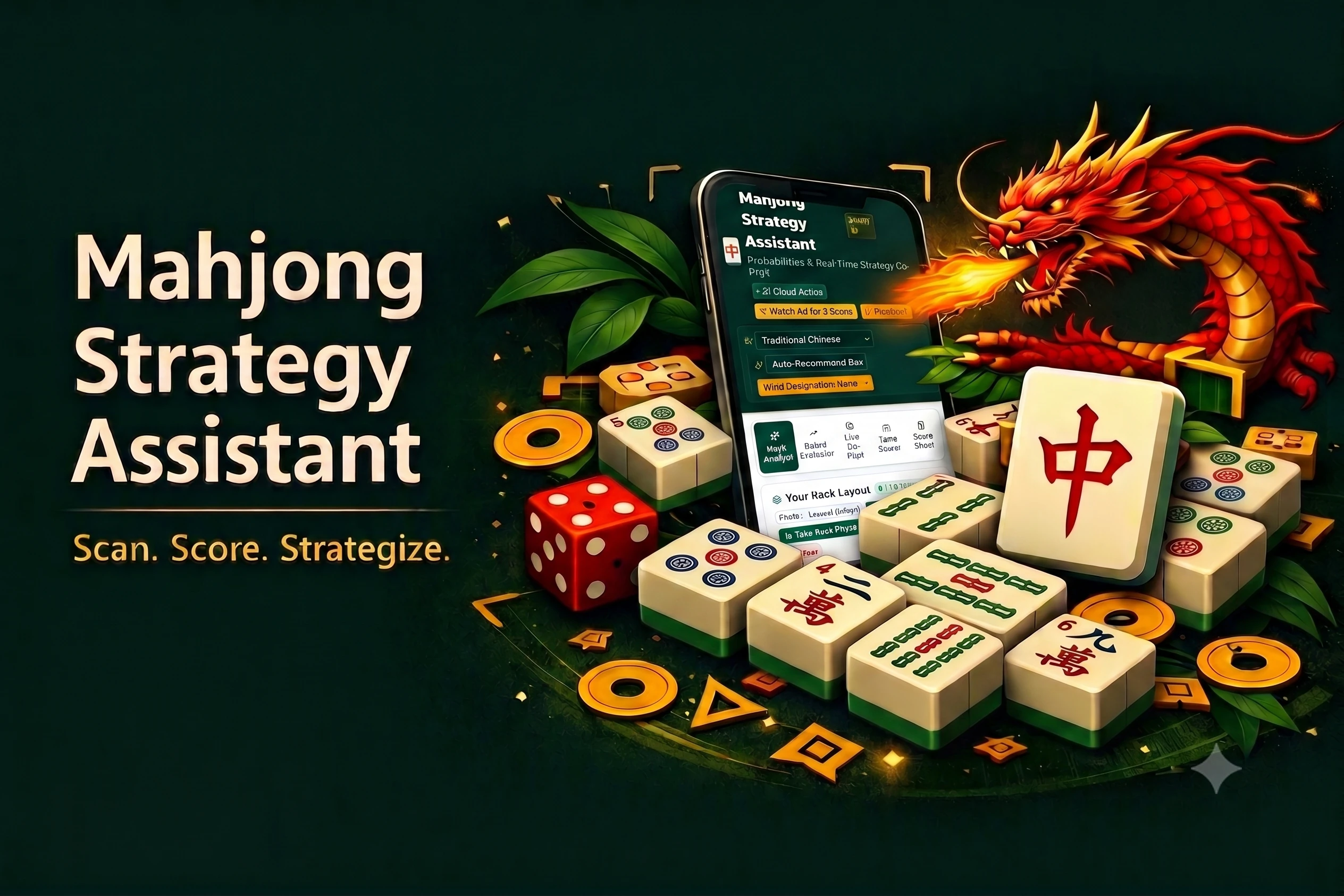
Mahjong Strategy Assistant — Scan. Score. Strategize. Illustration of a fiery red dragon behind the app on a phone, surrounded by mahjong tiles and dice.

Never wonder
what to discard.

Point your camera at your rack. Get an instant, hand-by-hand strategic recommendation — built for Chinese Official (MCR), Riichi, the NMJL 2026 card and five more rule sets.

Works offline as a fallback 8 rule sets No account required
A photo of a real mahjong rack, with every tile the app read from it laid out below, ready to analyse
Reads your rack Scans process in seconds
8 rule sets Switch anytime, mid-session
Traditional Chinese (MCR) · 81-fan official scoring Riichi · WRC 2022 han / fu NMJL 2026 Card · Card hands & Jokers Taiwanese 16-Tile · Tai calculation Singapore · Fan, Animals & payouts Hong Kong · Faan, three rule books Vietnamese · Phán / Mủn & Jokers Custom Hands · 177 hands & group scoring Traditional Chinese (MCR) · 81-fan official scoring Riichi · WRC 2022 han / fu NMJL 2026 Card · Card hands & Jokers Taiwanese 16-Tile · Tai calculation Singapore · Fan, Animals & payouts Hong Kong · Faan, three rule books Vietnamese · Phán / Mủn & Jokers Custom Hands · 177 hands & group scoring
What it does

One rack photo. A full strategic plan.

Every screen below is the actual app — not a mockup. This is what you'll see the first time you scan.

01 — Rack Analyst

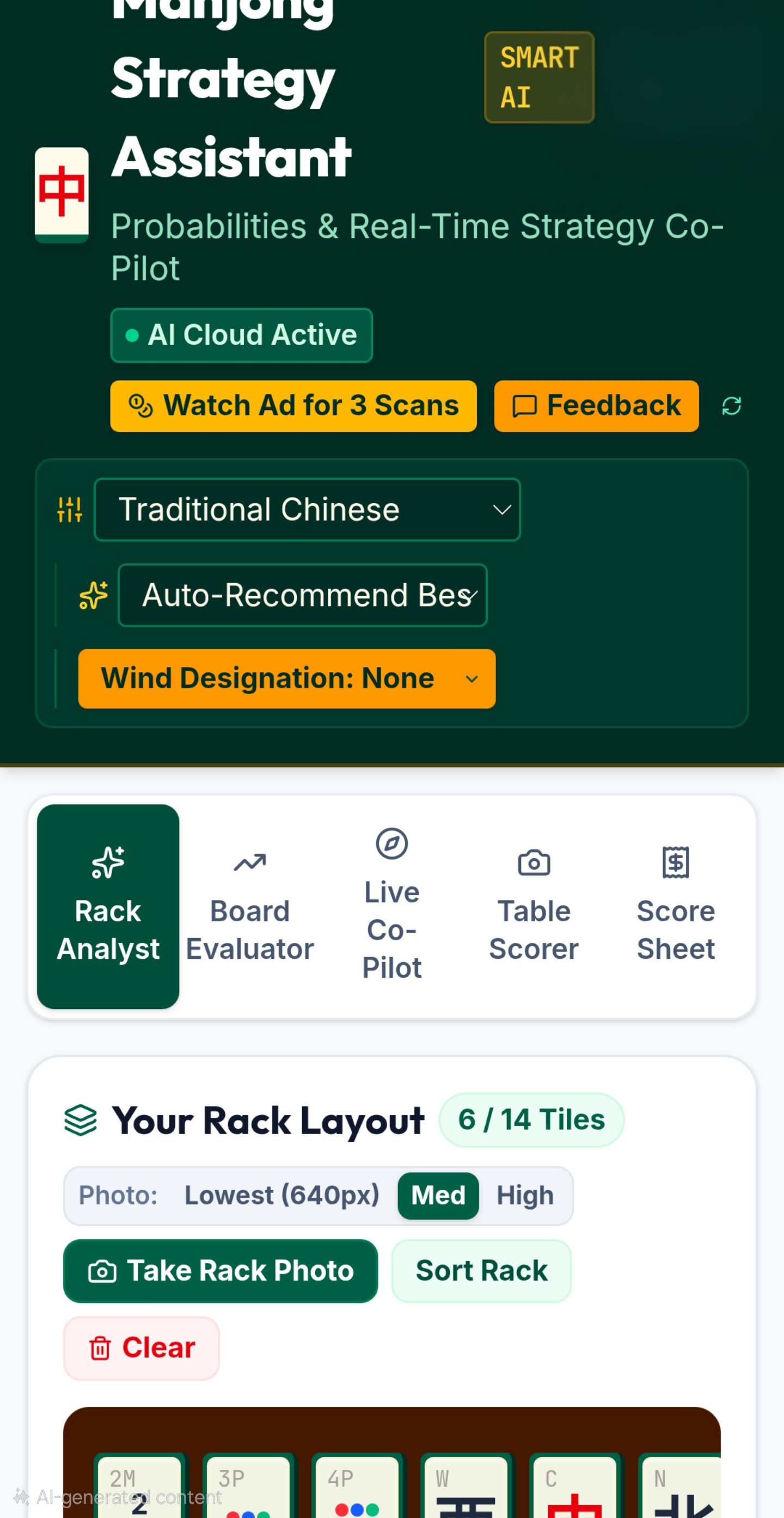
Snap your tiles, get your target hand.

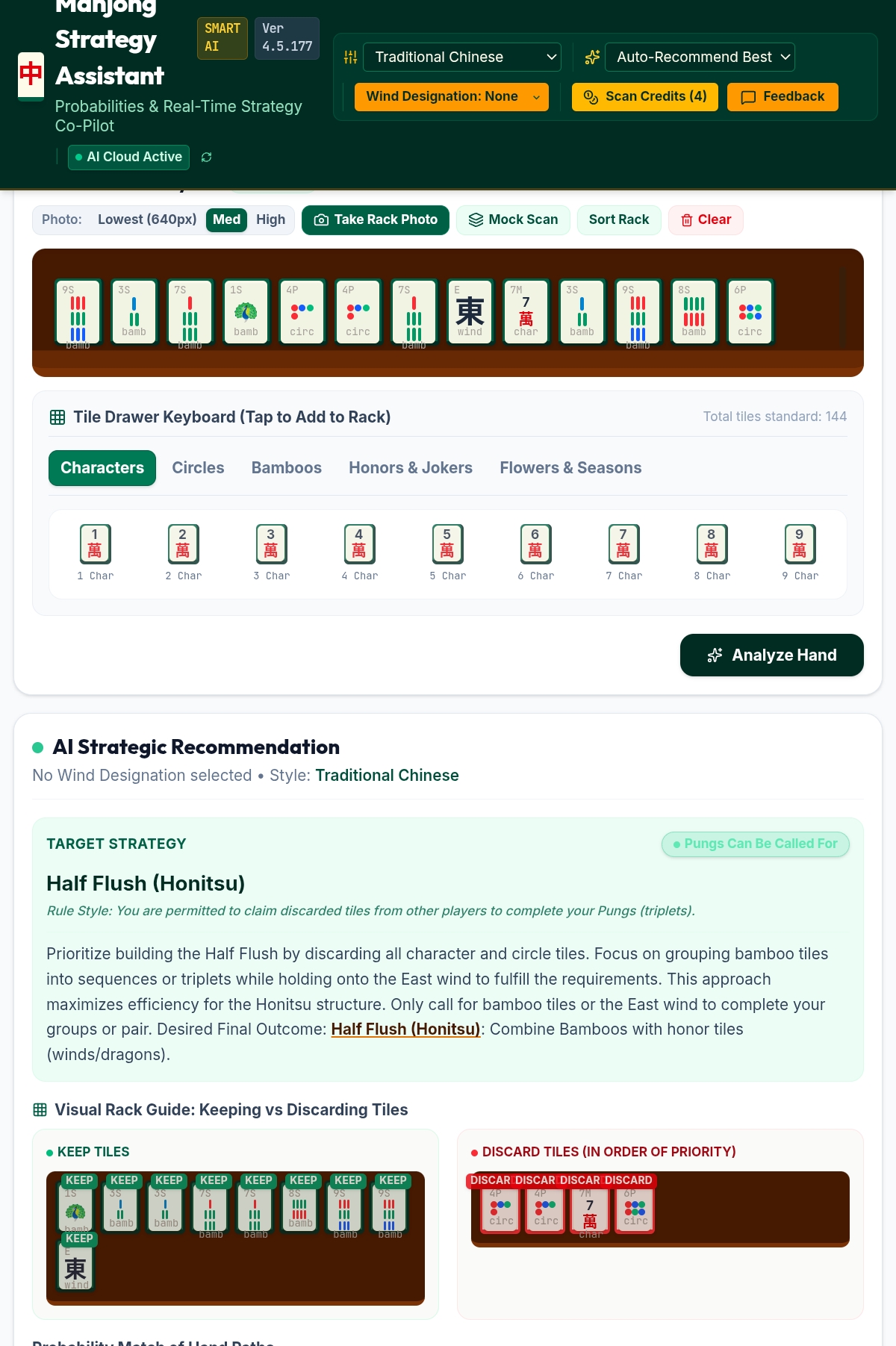
The app reads your rack from a single photo, identifies the highest-probability hand you can complete, and shows exactly which tiles to keep versus discard — with the reasoning spelled out, not just a black-box answer.

Camera scan Auto-recommend Manual tile entry
Rack Analyst recommending Thirteen Orphans, with the tiles to keep and the discard to make first
02 — Live Co-Pilot

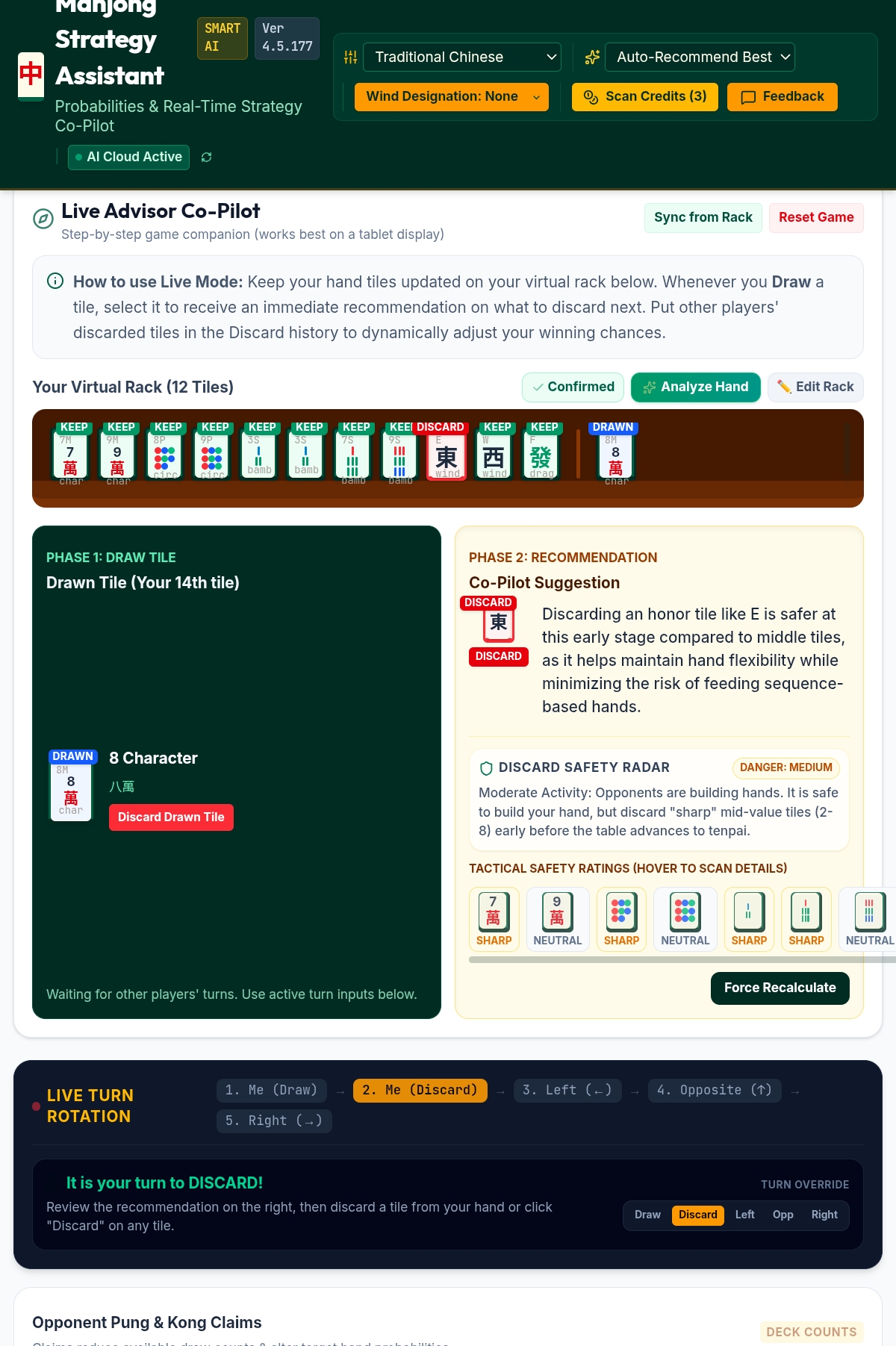
A recommendation for every turn, not just the start.

Keep your virtual rack in sync as you draw and discard, and the co-pilot re-evaluates after every turn — including a discard safety radar that flags which tiles are risky to throw based on how active the table looks.

Turn-by-turn guidance Discard safety radar Full turn rotation
Live Co-Pilot showing the drawn tile, its discard suggestion, and the best MCR hands ranked by chance to complete
03 — Board Evaluator

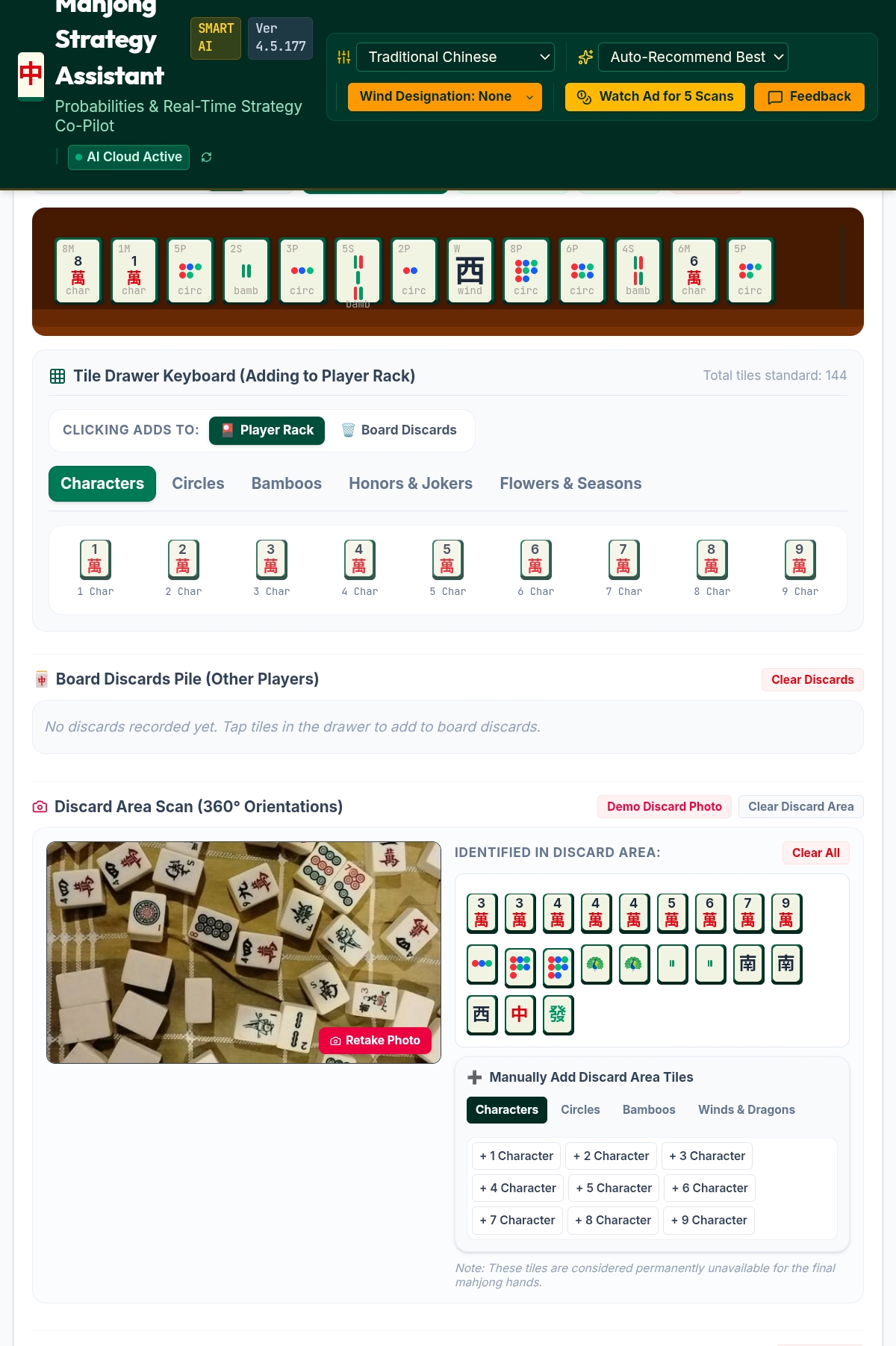
Track what everyone else has thrown away.

Log opponents' discards, displayed pungs, and kongs — the app folds every dead tile into its probability math, so its recommendation reflects what's actually still available in the wall, not just your own rack.

Discard photo scan Live probability Dead-tile aware
Board Evaluator with a photo of the discards on the table and every tile it identified listed below
04 — Table Scorer

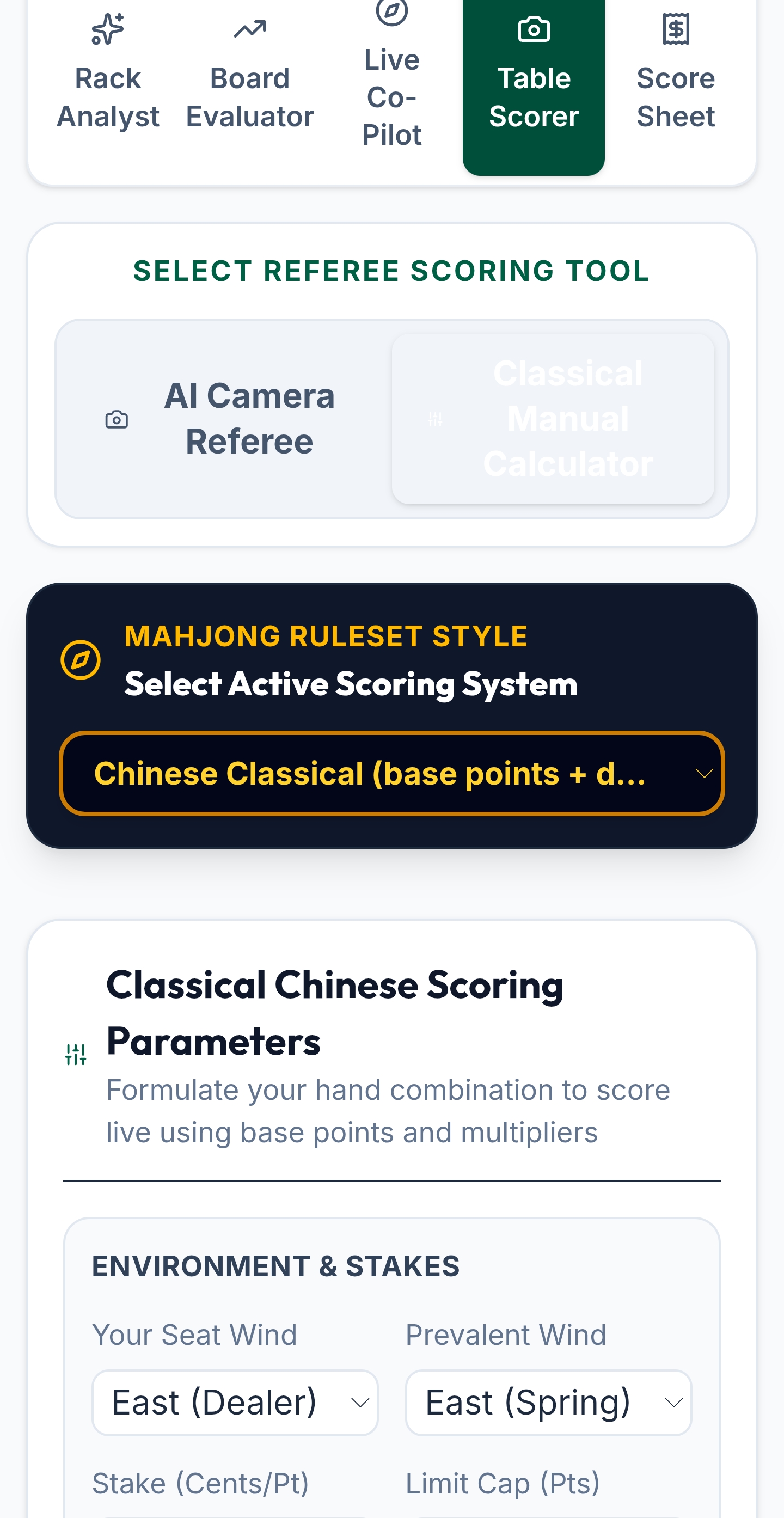
Point the camera at the winning hand. Get the score.

Photograph the completed hand and the app identifies every meld, flags anything it's unsure about for you to confirm, and calculates the exact payout — in whichever of the eight rule sets your table plays by. Played the hand in Live Co-Pilot? Send it straight to the scorer with no photo at all.

Camera referee 8 rule sets Manual calculator fallback
Table Scorer with the App Camera Referee and Manual Calculator options, open on the MCR 81-fan calculator
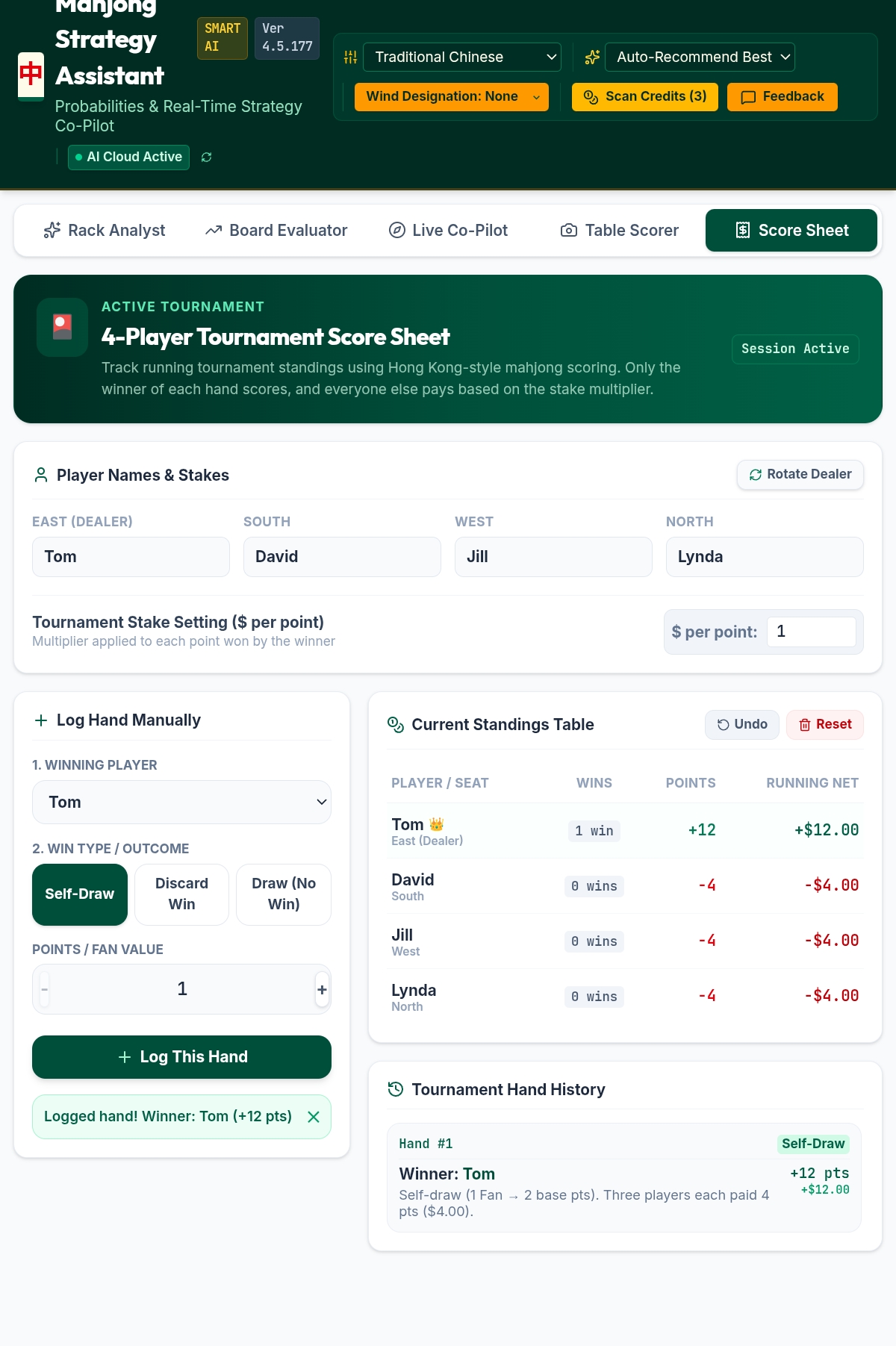
05 — Score Sheet

Run the whole table, not just one hand.

A running tournament tracker for four players — dealer rotation, self-draw versus discard payouts, and a live cash ledger, all updating automatically as each hand is logged.

4-player tracking Auto dealer rotation Live standings
Score Sheet with four players, a dollars-per-point stake, the hand log and the running standings table
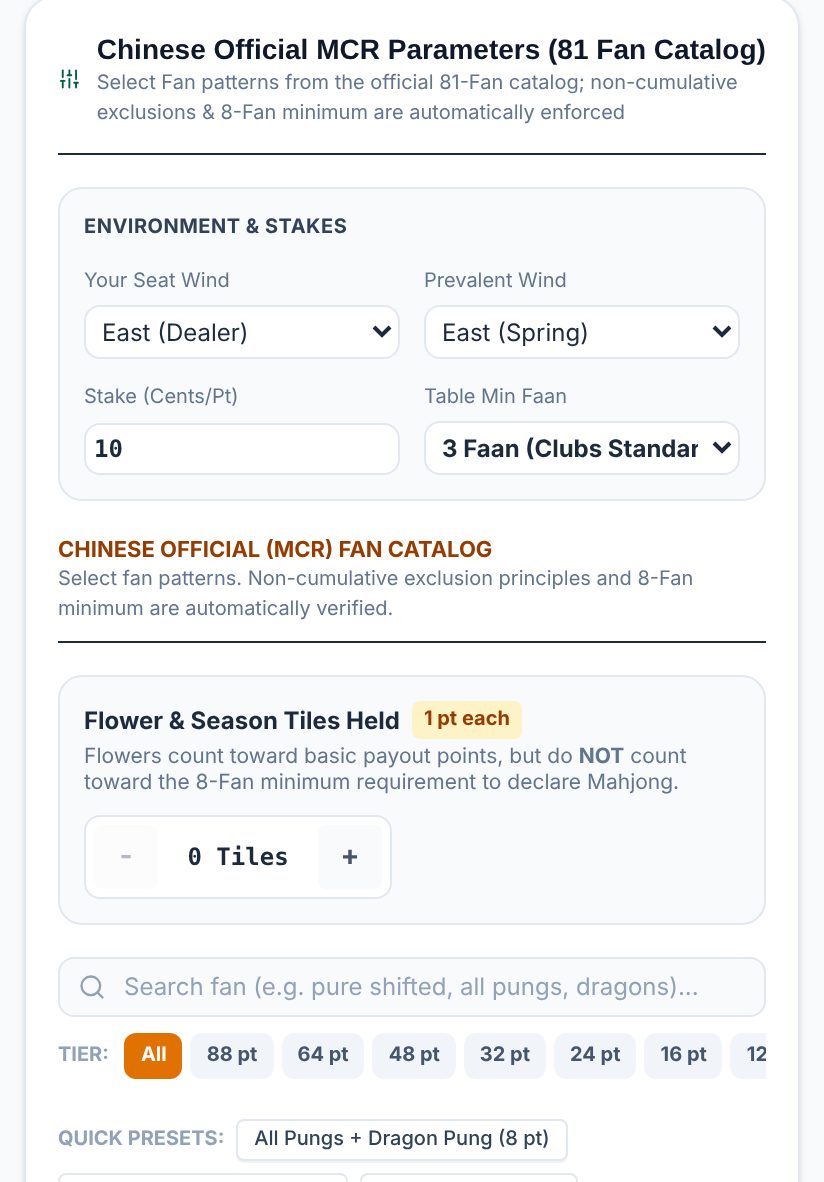
06 — Manual Calculator

Every rule, every wind, laid out to tweak.

For when you want to work the numbers yourself: pick the fan, yaku, Tai or patterns your hand made, set the winds and how it was won, and the score and every payment update live — in each rule set's own scoring system. Free, with no scan needed.

Every rule set Seat & round wind Live payments
The MCR Manual Calculator with winds, stake, Flowers held, the fan tier filter and quick presets
One app, every table

Eight rule sets. Same rack.

Switch styles mid-session — the recommendation and every score calculation update instantly to match.

Pricing

Start free. Pay only if you want to.

Free

Watch & Play

$0
3 free scans to start, then 2 per rewarded ad
  • ✓ Full access to all 8 rule sets
  • ✓ Rack Analyst & Live Co-Pilot
  • ✓ Score Sheet & Manual Calculator
  • ✓ Unlimited manual tile entry
  • ✓ 5 free scans for each friend you invite
Download free
Best value

Club Pack

$4.99
200 scans for your club or group
  • ✓ 200 ad-free camera scans
  • ✓ Everything in Watch & Play
  • ✓ Share with up to 8 devices
  • ✓ No subscription, never expires
Get the app

Your first pack, either size, comes with 10 bonus scans. Prices are in US dollars; the app charges in your local currency.

Questions

Good to know

Do I need to photograph everyone's hand to get a score?

No — for standard scoring you only need a photo of the winning hand. Mahjong scoring evaluates just the winner's tiles against the active wind conditions; opponents' concealed tiles don't factor in. Photographing the whole table (Full Table mode) is optional.

What happens if the app misreads a tile?

You check every scan before it's used, and you can tap any tile to correct it — the app never locks in a result you haven't confirmed. If tiles were hard to read, it suggests retaking the photo, and a retake taken straight away gives the first photo's credit back.

Will it read my old or worn tiles?

Usually — but tiles that are faded, chipped, yellowed or stained, or that use an unusual artistic style, are harder for the camera to recognise, and a tile may be read as the wrong one. Use good, even lighting, lay the tiles flat and hold the camera directly above them, and always check the tiles shown before you score. More tips.

Can I use my scans on my tablet too, or share them with friends?

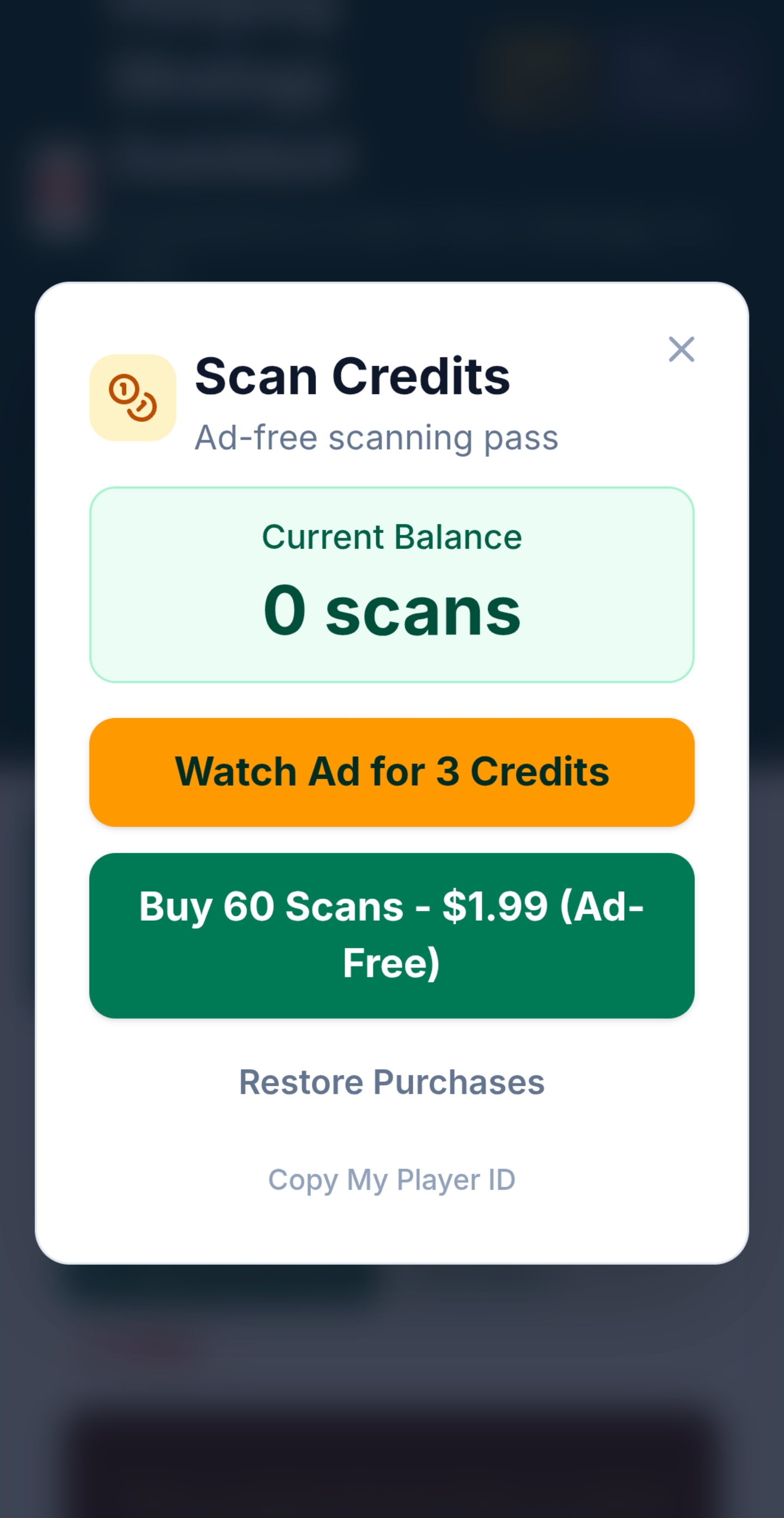
Yes. Open Scan Credits and tap Share your scans with another device. One device shows a short code, and the other types it in. Up to 8 devices can share one scan balance, so one 60 Scan Pack can cover your whole table. How it works.

What happens to my scans if I change phones?

Open Scan Credits, tap Save my scans and keep the backup code it shows somewhere safe. On your new phone, enter the code and your scans move across. More about backup codes.

Do new players get any free scans?

Yes. Every new player gets 3 free scans to try the camera on their own tiles. If a friend gave you their invite code, enter it in your first week; once you make your first scan, your friend gets 5 free scans. How invites work.

Does it work without an internet connection?

Core scoring and manual calculators work fully offline. Camera-based scanning needs an internet connection, but falls back to an honest "unavailable offline" message rather than guessing — it never fabricates a result.

Can I switch rule sets mid-game?

Yes. Switching rule sets recalculates your current recommendation and any in-progress score immediately, so you can settle a rules debate at the table without restarting anything.

Your rack is waiting.

Now available on Google Play, with the iPhone version coming soon. Free to download, with every rule set included.

Get it on Google Play